8. Common Functions
Modify the background color of the atomic structure display in the Device Studio main interface, i.e., modify the 3D background color in Device Studio. There are two ways to modify it, using the Si16O32 crystal structure as an example for detailed explanation.
Method One: When a structure (e.g., Si16O32 crystal structure) is already displayed in the Device Studio main interface, as shown in fig. 8.1, this is the operation interface for changing the background color of the Si16O32 crystal structure display from pure black to pure white.
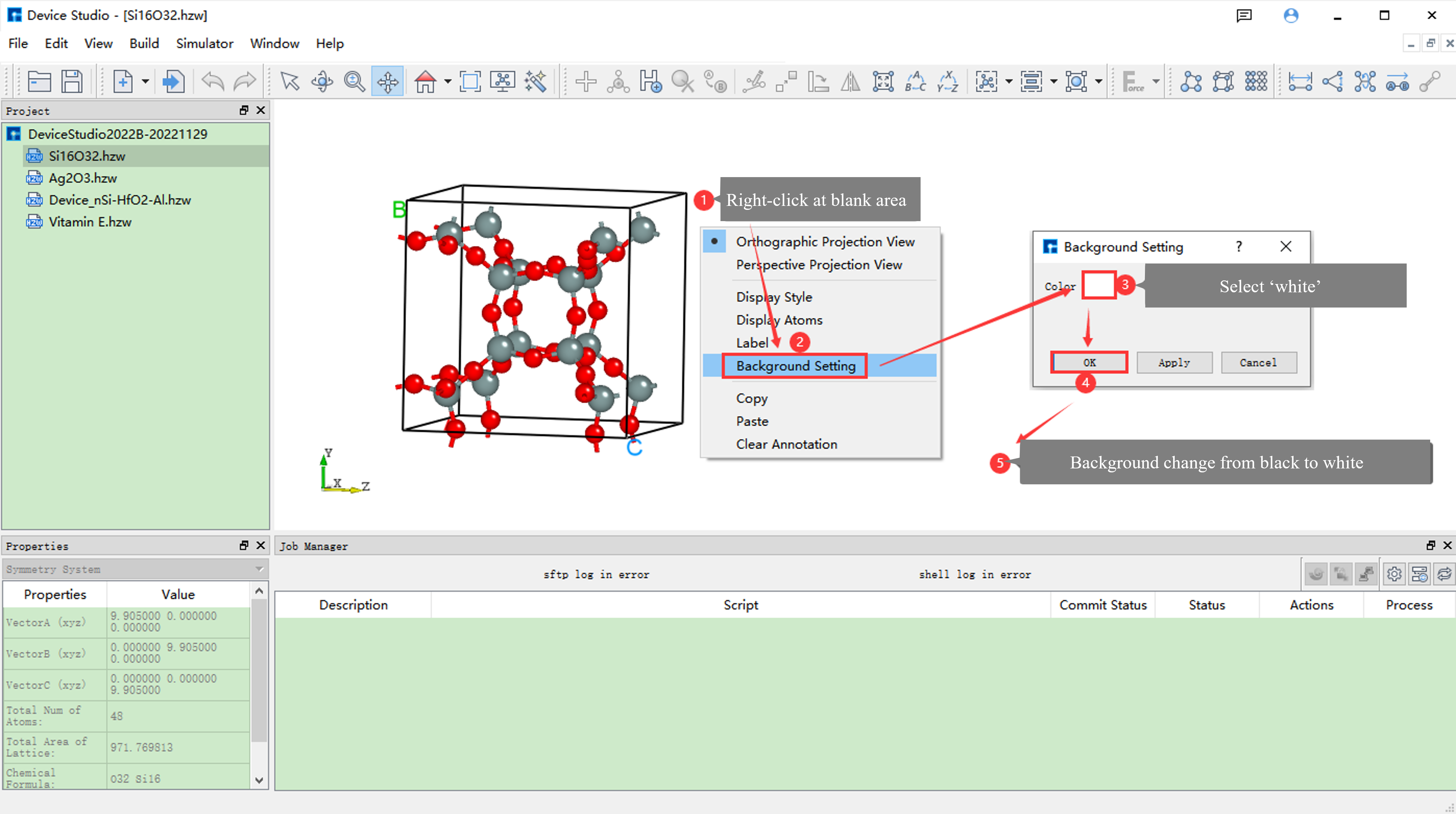
fig. 8.1 Operation Interface for Changing the Background Color of Si16O32 Crystal Structure Display from Pure Black to Pure White
Note
Method One can only be used when a structure is already displayed in the Device Studio main interface.
Method Two: When no structure is displayed in the Device Studio main interface, as shown in fig. 8.2, fig. 8.3, and fig. 8.4, these are the operation steps for changing the background color of the Si16O32 crystal structure display from pure black to pure white.
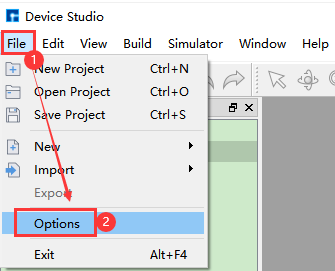
fig. 8.2 Step One: Change the Background Color of Structure Display in Device Studio Main Interface from Pure Black to Pure White
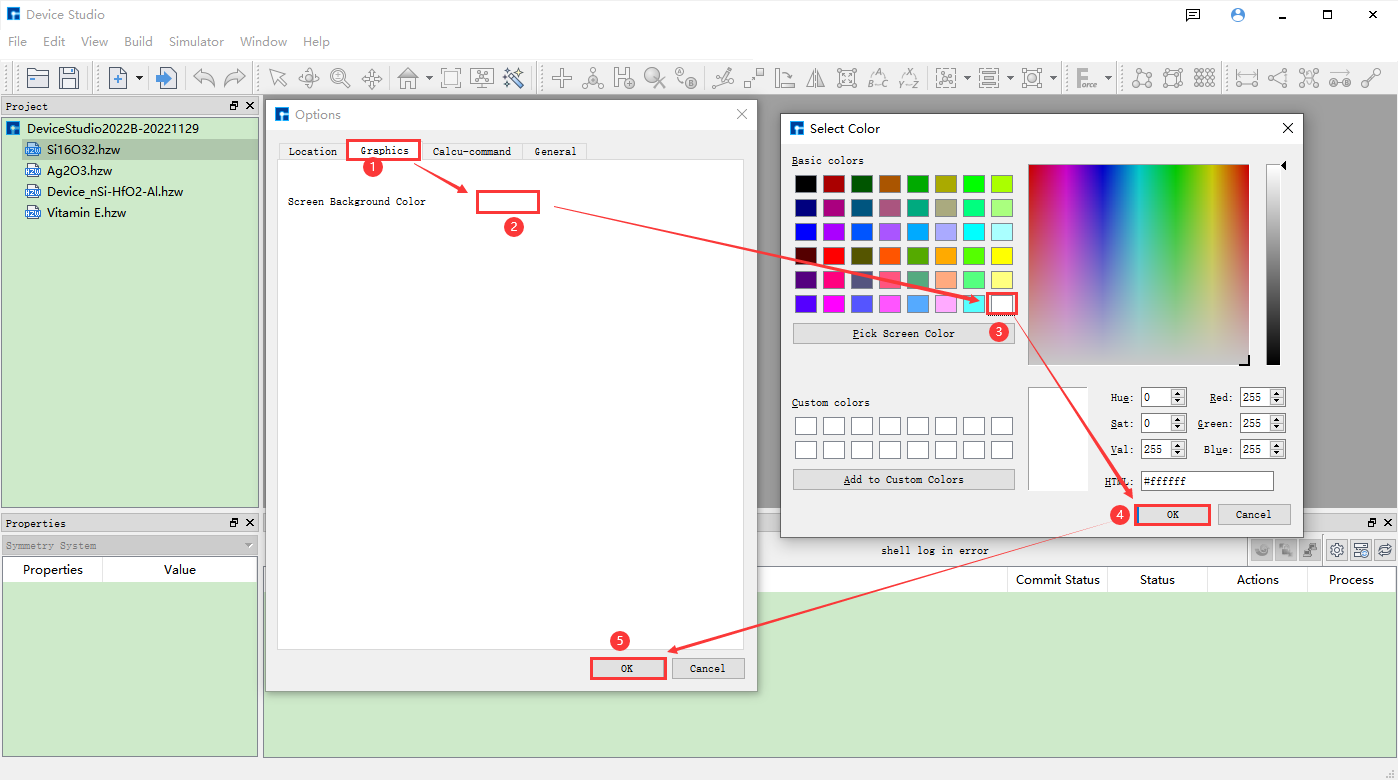
fig. 8.3 Step Two: Change the Background Color of Structure Display in Device Studio Main Interface from Pure Black to Pure White
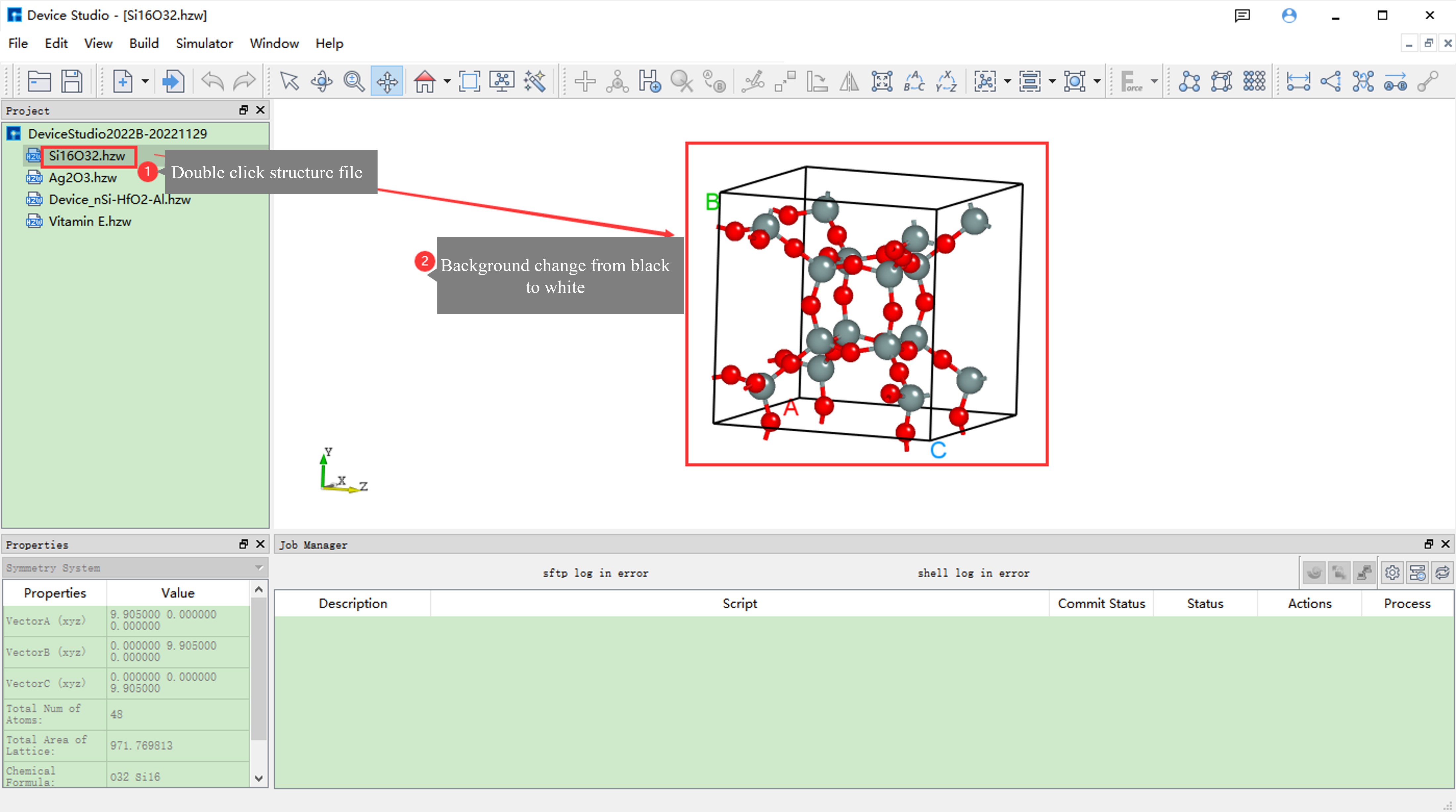
fig. 8.4 Step Three: Change the Background Color of Structure Display in Device Studio Main Interface from Pure Black to Pure White
Important Note
This section mainly describes how to modify the background color of atomic structure display in the Device Studio main interface, i.e., modify the 3D background color in Device Studio. This does not affect the background color of the Atomic Structure Refinement Module. If you want to modify the background color of the atomic structure refinement module, please refer to the Modify Atomic Structure Refinement Module Background Color section.
When using any module of Device Studio for Atomic-level Material Modeling (Million-scale), High-performance Scientific Simulation Computing, Computation Task Monitoring and Management, or Data Visualization, please cite Device Studio in your article using the following citation template: